A case of Shai-Hulud
In this article we are going to deep dive into the source code of Shai-Hulud and try to figure out exactly how it works.
For context: Shai-Hulud is a self-propagating npm worm specifically designed for GitHub Actions and CI/CD environments, built by the threat group TeamPCP. Its name is taken from the giant sandworms in Frank Herbert’s Dune, a fitting reference to its “devouring” behavior as it aggressively hunts down and exfiltrates sensitive developer credentials.
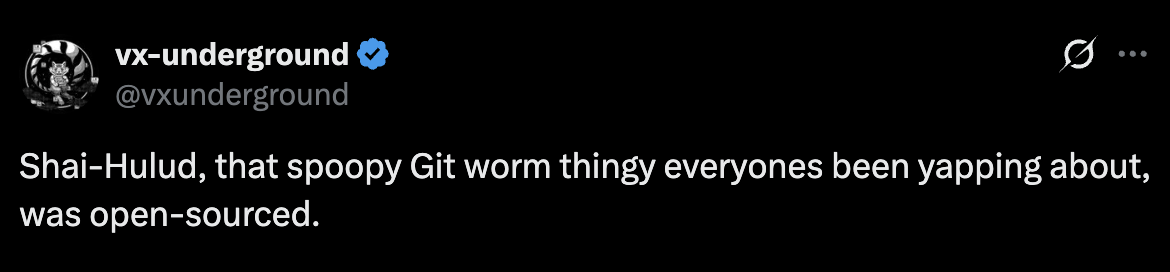
On May 12, 2026, TeamPCP deliberately released the full source code to GitHub under the title “A Gift From TeamPCP”, complete with deployment instructions. The framework is a modular TypeScript/Bun toolkit for credential harvesting, supply chain poisoning, and encrypted data exfiltration, targeting both CI/CD pipelines and developer workstations.
Code Analysis
The scripts/ Folder , Build-Time Anti-Analysis Pipeline
The scripts/ folder forms a build-time obfuscation and anti-analysis pipeline
that transforms, encrypts, and obscures the malware’s source code before
packaging it into a final deployable bundle.
Build Pipeline (build.ts)
Main orchestrator that processes all TypeScript source files through 3 transformation stages before bundling into a single minified output.
Stage 1 , Environment Variable Obfuscation (env-scramble.ts)
Rewrites process.env.SOME_KEY into obfuscated bracket-notation so environment
variable names are hidden from static analysis.
Stage 2 , String Scrambling (scramble-shared.ts)
Generates a unique 64-character random passphrase per build. Encodes all strings
marked with scramble("...") in source code. The passphrase is baked into the
binary, making each build cryptographically distinct.
Stage 3 , Log Stripping (strip-logs.ts)
Removes every logging and debug call before compilation. Leaves zero diagnostic
output in the final bundle when silent mode is enabled.
Post-Build Obfuscation (obfuscate.js)
Applies control flow flattening and Base64 string arrays to the final bundle, making the output extremely hostile to automated decompilation tools.
Asset Encryption (pack-assets.ts)
Encrypts each embedded asset file with a random AES-256-GCM key. Encryption
keys are themselves passed through scramble() for double obfuscation.
Operator Decryption Tool (decrypt.ts)
Standalone tool used by the attacker to recover exfiltrated data. Uses hybrid RSA-OAEP + AES-256-GCM decryption with the attacker’s private key. Clean separation between the payload and the C2 recovery tooling.
build-plugin.ts
Alternative build path implementing the same scramble logic as a Bun plugin, intercepting files at load time.
Important src/ Files
1. providers/filesystem/filesystem.ts
Contains a hardcoded list of over 100 known sensitive file locations across
Linux, macOS, and Windows , SSH keys, AWS credentials, .env files, browser
data, crypto wallets (Bitcoin, Ethereum, Monero, Dogecoin), Telegram session
data, Slack cookies, Git credentials, KeePass vaults, and VPN configs. It reads
every one it can find.
2. providers/aws/ , Cloud Credential Harvester
Targets AWS credentials from every possible angle: environment variables,
~/.aws/credentials files, EC2 instance metadata (IMDSv2), ECS container
metadata, and EKS web identity tokens. Wherever AWS credentials could possibly
live in a CI/cloud environment, it looks there.
3. providers/actions/
If the malware finds a valid GitHub token with workflow scope, it iterates through accessible repositories and pulls all their GitHub Actions secrets , the environment variables CI pipelines use to store API keys, deploy tokens, and other sensitive data.
4. mutator/ , The Persistence & Supply Chain Module
Once it has a valid GitHub token, it can inject malicious commits into branches
(branch/), and publish malicious npm packages to the public registry either
directly (npm/) or using OIDC provenance to make them appear legitimate
(npmoidc/).
5. sender/
Stolen data is encrypted and sent out through two channels. The primary channel
posts to git-tanstack.com, a domain controlled by the attacker. If that is
unreachable, it falls back to committing the encrypted stolen data directly into
a GitHub repository created using one of the stolen tokens , a clever backup
that abuses GitHub’s own infrastructure for data exfiltration.
6. assets/DEADMAN_SWITCH.sh
This embedded shell script installs a background service (a LaunchAgent on
macOS, a systemd service on Linux) that monitors whether a stolen GitHub token
is still valid by pinging the GitHub API every 60 seconds. The moment the token
gets revoked, it fires an arbitrary handler , and in the source code that
handler is literally rm -rf ~/, wiping the victim’s entire home directory as a
cleanup and sabotage action.
7. collector/ & dispatcher/
These two work together to make sure nothing is lost. The Collector acts as a buffer , it gathers results from all the harvesters and batches them up, flushing every 100KB. The Dispatcher then takes each batch, encrypts it, and tries to deliver it through whichever sender is currently reachable, falling back automatically if one fails.
index.ts , The Brain
index.ts is where everything kicks off. It runs a preflight check first , if
the system language is Russian, it quietly exits. It also checks if it is
running inside a specific GitHub Actions workflow (opensearch-js) and behaves
differently if so. Then it spins up all the credential harvesters in sequence
and feeds everything into the collection pipeline.
The Critical Weakness , Token Exposed in Plain Sight
This is where it gets interesting. The malware authors put genuine effort into their encryption , and then completely undermined it with a trivial mistake.
Layer 1 , The Encryption (Solid)
In sender/base.ts, the stolen secrets are encrypted with a proper hybrid
scheme:
- A fresh AES-256-GCM key and IV are generated per envelope
- That AES key is then RSA-OAEP-SHA256 encrypted with the attacker’s public key
- The result is:
{ envelope: base64(iv + ciphertext + authTag), key: base64(encryptedAESKey) }
This part is cryptographically sound. Without the attacker’s RSA private key, the actual stolen data , AWS credentials, SSH keys, cloud secrets , cannot be recovered by anyone.
Layer 2 , The Weakness (Token in the Commit Message)
In sender/github/githubSender.ts, when the sender includes a GitHub token, it
does the following:
const doubleEncodedToken = Buffer.from(
  Buffer.from(this.token).toString("base64"),
).toString("base64");
return { ...envelope, token: doubleEncodedToken };
That token then ends up embedded directly in the public commit message:
IfYouRevokeThisTokenItWillWipeTheComputerOfTheOwner:WjJodlh4eHh4...
The token is protected by nothing more than double Base64 encoding , a trivially reversible operation. Two decodes in Python or PowerShell and the live GitHub token is fully exposed.
This means:
- Anyone searching GitHub for repos matching the Shai-Hulud naming pattern
- Finds a public commit message
- Decodes it in two lines
- Gets full access to the victim’s GitHub account
No cryptographic keys required.
Responsible disclosure note: During this research, live tokens were observed in public commit messages. These were not accessed or used. This issue was already detected by GitGuardian, who identified 7 commits containing exposed
ghp_tokens and confirmed they remained valid and active, and by OX Security, who noted that a double Base64 decode reveals the full compromised account data including GitHub tokens, AWS and GCP secrets. Both treated it as a detection signal. What neither articulated is the contradiction at the heart of the design: the attacker used RSA-4096 + AES-256-GCM to protect the stolen secrets, then stored the GitHub token controlling the victim’s entire account behind a trivially reversible encoding. The encryption protects the data. The encoding protects nothing.
IOCs , Indicators of Compromise
Network
| Indicator | Type | Notes |
|---|---|---|
git-tanstack.com | C2 domain | Primary exfil server, impersonates tanstack.com |
git-tanstack.com:443/router | C2 endpoint | POST destination for stolen credentials |
zero.masscan.cloud:443/v1/telemetry | C2 domain | Secondary C2 used in later variants |
filev2.getsession.org | C2 domain | Session P2P messenger exfil channel |
File System
| Path | Notes |
|---|---|
setup.mjs | Stage 1 loader , downloads Bun and executes payload |
router_runtime.js | Main 11.7MB obfuscated credential stealer |
opensearch_init.js | Injected malware binary in .claude/ directories |
execution.js | Alternate payload filename used in some variants |
ai_init.js | Payload variant targeting AI tooling environments |
~/.local/bin/gh-token-monitor.sh | Dead man’s switch monitor script |
~/Library/LaunchAgents/com.user.gh-token-monitor.plist | macOS persistence (LaunchAgent) |
~/.config/systemd/user/gh-token-monitor.service | Linux persistence (systemd) |
Repository Injection
| Indicator | Notes |
|---|---|
.claude/settings.json with SessionStart hook | Re-executes payload on every Claude Code session |
.claude/opensearch_init.js | Malware binary disguised as Claude config file |
.vscode/tasks.json with folderOpen trigger | Re-executes payload on VS Code folder open |
.vscode/setup.mjs | Worm loader injected into VS Code directory |
Branch named dependabot/github_actions/format/setup-formatter | Fake Dependabot branch used to inject workflow |
Workflow file Formatter dumping ${{ toJSON(secrets) }} | Actions secrets exfil disguised as formatter |
Commit author claude@users.noreply.github.com | Spoofed identity used for injected commits |
Commit message chore: update dependencies | Camouflage commit message for all injections |
GitHub Search Queries
Repositories with embedded stolen tokens:
"IfYouRevokeThisTokenItWillWipeTheComputerOfTheOwner" in:commitsSource code repositories:
"A Gift From TeamPCP" in:repositoriesnpm
| Indicator | Notes |
|---|---|
scripts.preinstall: "node setup.mjs" | Primary worm injection signature in package.json |
optionalDependencies: { "@opensearch/setup": ... } | Malicious dependency injected by worm |
npm token description containing IfYouRevokeThisTokenItWillWipeTheComputerOfTheOwner | Token minted by worm with extortion description |
Publisher account cloudmtabot | Compromised npm account used in Wave 1 |